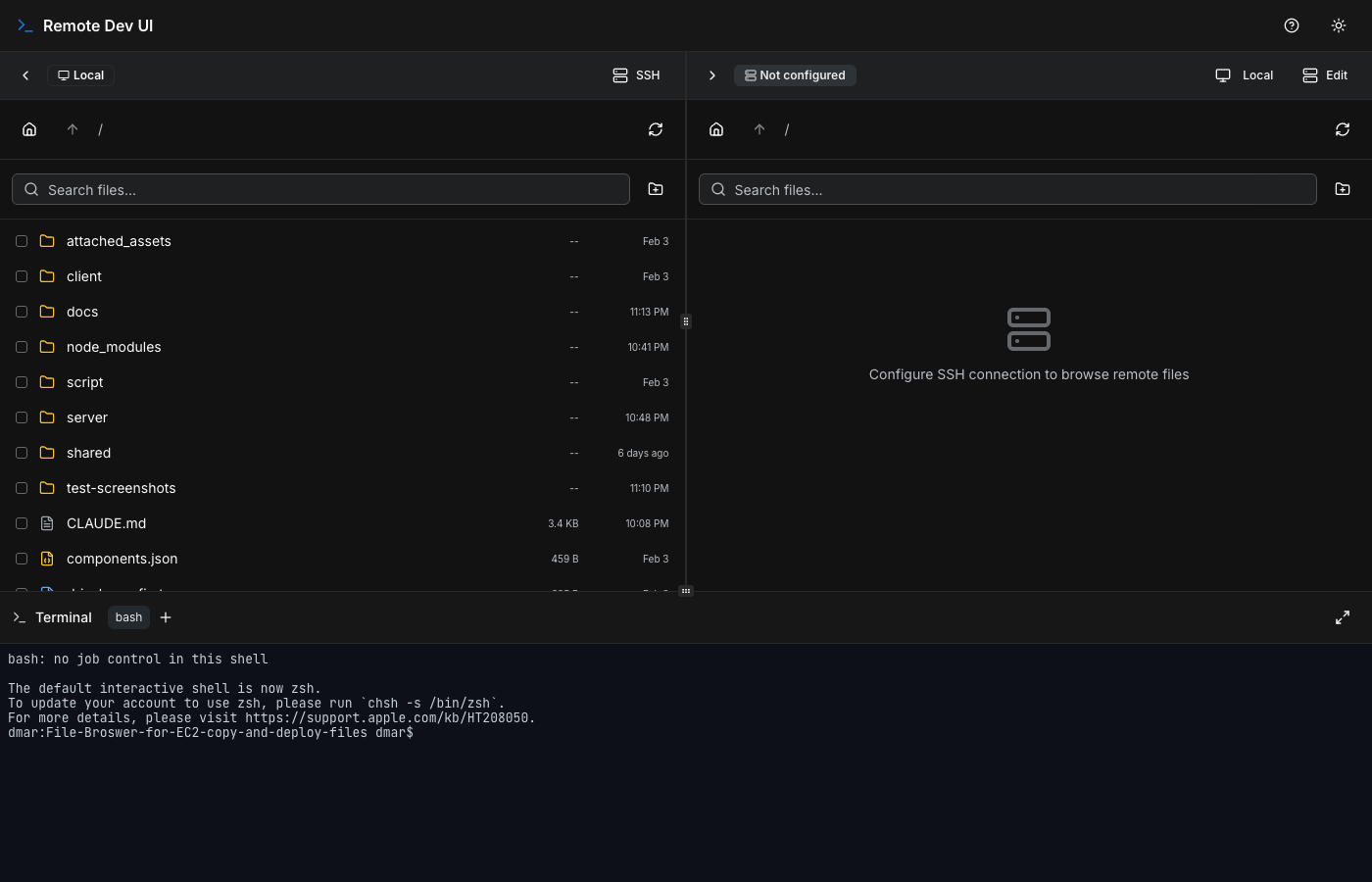
A web-based dual-pane file browser with an integrated terminal for managing local and EC2 files via SSH/SFTP.
https://github.com/davidbmar/2026-feb-File-Broswer-for-EC2-copy-and-deploy-files · public · shipped
Remote Dev UI is a self-hosted web application that provides a graphical interface for file management and terminal access on remote servers, specifically optimized for AWS EC2 instances. It replaces traditional CLI-only workflows with a dual-pane explorer that supports drag-and-drop transfers between local and remote filesystems, syntax-highlighted file previews, and persistent SSH sessions.
npm install
npm run dev
flowchart TD
    User[User Browser] -->|HTTP/WebSocket| Client[React Frontend]
    Client -->|API Requests| Server[Express Backend]
    Client -->|Terminal Stream| Server
    Server -->|SFTP/SSH| Remote[EC2 Instance]
    Server -->|Local FS| Local[Local Machine]
    subgraph Frontend
        Client
    end
    subgraph Backend
        Server
    end
The application uses a TypeScript monorepo structure. The frontend is built with React 18, TailwindCSS, and shadcn/ui components, using TanStack Query for state management and xterm.js for the terminal emulator. The backend is an Express 5 server that handles HTTP API requests for file operations and upgrades connections to WebSockets for real-time terminal streaming. It uses the ssh2 library to manage SFTP connections and shell sessions. The build process utilizes Vite for the client and esbuild for bundling the server into a single executable-like CJS file.
sequenceDiagram
    participant U as User
    participant F as Frontend (React)
    participant B as Backend (Express)
    participant R as Remote EC2

    U->>F: Click Connect SSH
    F->>B: POST /api/connect (Host, Key)
    B->>R: Establish SSH/SFTP Connection
    R-->>B: Connection Established
    B-->>F: Session ID & Status

    U->>F: Drag File to Remote Panel
    F->>B: POST /api/upload (File Data)
    B->>R: SFTP Write Stream
    R-->>B: Write Complete
    B-->>F: Success Response

    U->>F: Open Terminal
    F->>B: WebSocket Upgrade
    B->>R: Open Shell Channel
    loop Terminal Session
        U->>F: Type Command
        F->>B: WS Send Input
        B->>R: Stdin Write
        R->>B: Stdout Data
        B->>F: WS Send Output
        F->>U: Render Terminal Output
    end
Deploy this tool on a jump host or directly on development EC2 instances to provide developers with secure, browser-based access to server filesystems without exposing raw SSH ports to the public internet (if behind a VPN/WAF). It simplifies file uploads, log inspection, and quick code edits for teams managing infrastructure.