A local, voice-powered AI assistant running in your browser with native GPU-accelerated speech processing.
https://github.com/davidbmar/2026-nano-claw-voice-loop-tts-stt · public · shipped
nano-claw is a personal AI agent that operates entirely through voice in the browser. It combines a TypeScript-based agent core with native macOS services for Speech-to-Text (Whisper) and Text-to-Speech (Kokoro/Piper), leveraging Metal acceleration to bypass Docker's GPU limitations on Apple Silicon.
git clone https://github.com/davidbmar/2026-nano-claw-voice-loop-tts-stt.git
cd 2026-nano-claw-voice-loop-tts-stt
pip install -r requirements.txt
python stt_service.py &
python tts_service.py &
docker compose up --build
flowchart TD
    Browser[Browser Client]
    VoiceServer[Voice Server Python]
    NanoClawAPI[nano claw API TypeScript]
    STTService[STT Service Native]
    TTSService[TTS Service Native]
    LLMProvider[LLM Provider Cloud]
    LocalTools[Local Tools Shell File]
    Browser -- WebRTC Audio --> VoiceServer
    VoiceServer -- HTTP Transcribe --> STTService
    VoiceServer -- SSE Chat --> NanoClawAPI
    NanoClawAPI -- API Request --> LLMProvider
    NanoClawAPI -- Execute --> LocalTools
    VoiceServer -- HTTP Synthesize --> TTSService
    VoiceServer -- WebRTC Audio --> Browser
    NanoClawAPI -- Tool Approval --> Browser
The system uses a hybrid architecture: a Docker container hosts the TypeScript API, agent loop, and WebSocket voice server, while two standalone Python HTTP services run natively on the host Mac to handle Whisper STT and Kokoro TTS via Metal. The browser communicates via WebRTC for audio and WebSockets for control, while the agent interacts with LLMs (Claude/Gemini) and local tools.
sequenceDiagram
    participant User
    participant Browser
    participant VoiceServer
    participant STTService
    participant NanoClawAPI
    participant LLMProvider
    participant TTSService
    User->>Browser: Speak into microphone
    Browser->>VoiceServer: Stream audio via WebRTC
    VoiceServer->>STTService: POST transcribe audio bytes
    STTService-->>VoiceServer: Return transcribed text
    VoiceServer->>NanoClawAPI: POST chat request with text
    NanoClawAPI->>LLMProvider: Stream prompt to model
    LLMProvider-->>NanoClawAPI: Stream response tokens
    NanoClawAPI-->>VoiceServer: Stream sentence deltas
    VoiceServer->>TTSService: POST synthesize sentence
    TTSService-->>VoiceServer: Return audio bytes
    VoiceServer->>Browser: Stream audio and text delta
    Browser->>User: Play audio and show text
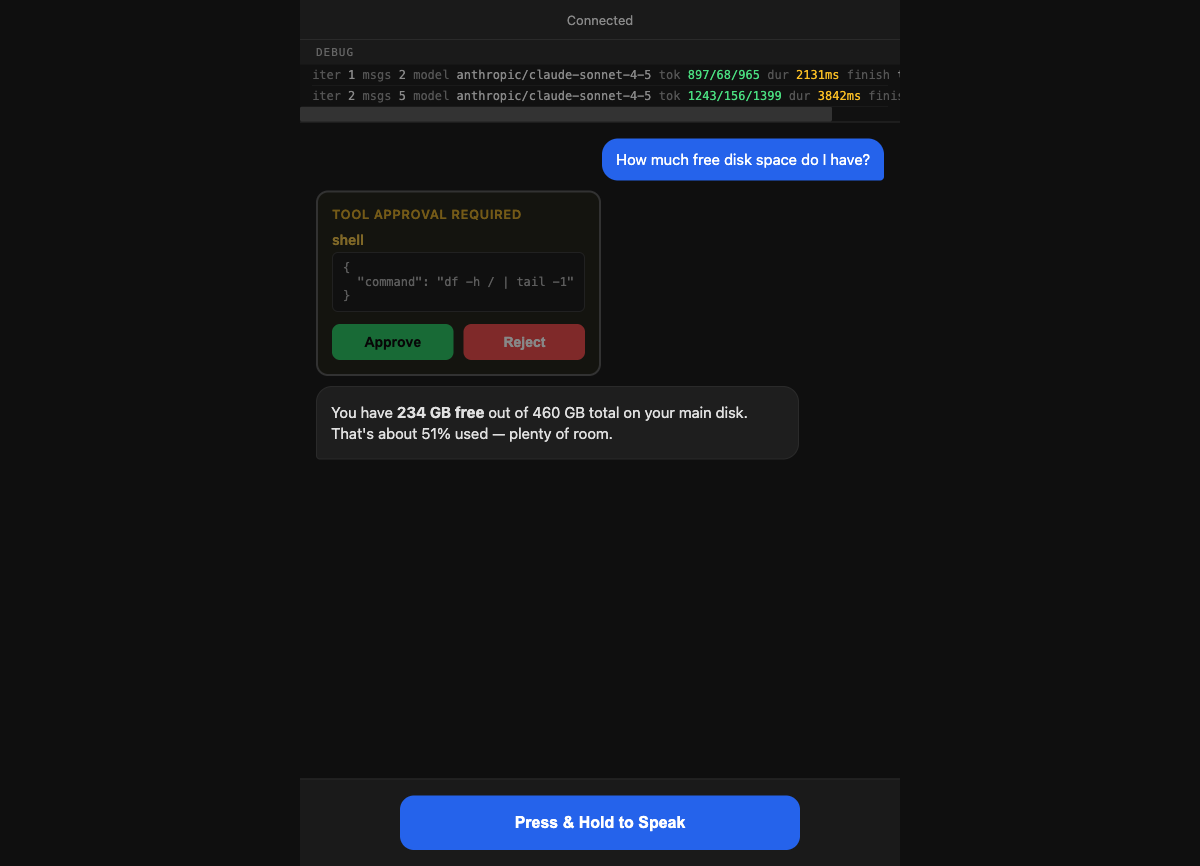
Use nano-claw as a hands-free coding companion or desktop assistant. It can execute shell commands, read/write files, and manage tasks based on voice instructions, requiring explicit user approval for any tool execution to ensure safety.