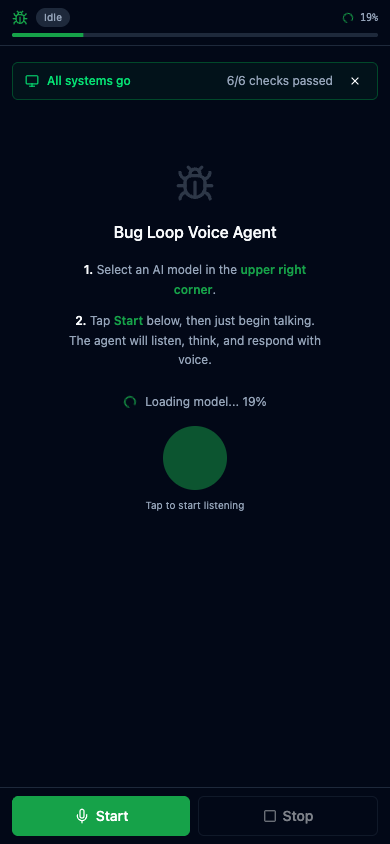
A fully browser-native voice agent using local WebGPU LLMs, TTS, and STT with no server requirements.
https://github.com/davidbmar/browser-voice-agent-with-TTS-STT-and-OpenSourceLLMs-demo · public · shipped
A real-time voice conversation agent that runs entirely in the browser. It uses the Web Speech API for transcription, a local LLM via WebGPU for intent classification and response generation, and Text-to-Speech for audio output. It features an 8-stage Finite State Machine (FSM) architecture to manage the conversation loop, including adaptive bias systems and streaming responses.
git clone https://github.com/davidbmar/browser-voice-agent-with-TTS-STT-and-OpenSourceLLMs-demo.git
cd browser-voice-agent-with-TTS-STT-and-OpenSourceLLMs-demo
npm install
npm run dev
flowchart TD
    User[User] -->|Speaks| Mic[Microphone]
    Mic -->|Audio Stream| STT[Web Speech API]
    STT -->|Transcribed Text| FSM[FSM Loop Controller]
    FSM -->|Intent/Context| LLM[WebLLM Local Model]
    LLM -->|Streamed Tokens| TTS[TTS Engine]
    TTS -->|Audio Output| Speaker[Speaker]
    Speaker -->|Heard by| User
    FSM -->|State Updates| Dashboard[React Dashboard]
    subgraph Browser
        STT
        FSM
        LLM
        TTS
        Dashboard
    end
Built with React 19 and TypeScript, bundled with Vite 7. It uses WebLLM for local LLM inference on WebGPU, vits-web for neural TTS on desktop (falling back to native SpeechSynthesis on mobile), and the Web Speech API for STT. The UI is styled with Tailwind CSS v4 and shadcn/ui components.
sequenceDiagram
    participant U as User
    participant M as Microphone
    participant STT as Web Speech API
    participant FSM as Loop Controller
    participant LLM as WebLLM
    participant TTS as TTS Engine

    U->>M: Speak
    M->>STT: Audio Stream
    STT->>FSM: Transcribed Text
    FSM->>FSM: Detect Signal & Classify Intent
    FSM->>LLM: Generate Response (Stream)
    LLM-->>FSM: Token Stream
    FSM->>TTS: Synthesize Sentence
    TTS-->>U: Audio Output
    FSM->>FSM: Observe Feedback & Update Bias
Clone the repository, install dependencies, and run the development server. Open the application in Chrome or Edge (WebGPU required). The app automatically loads a small Qwen model on startup. For deployment, use the provided shell script to sync to AWS S3 and CloudFront with necessary COOP/COEP headers.
✓ all on main — nothing unmerged.