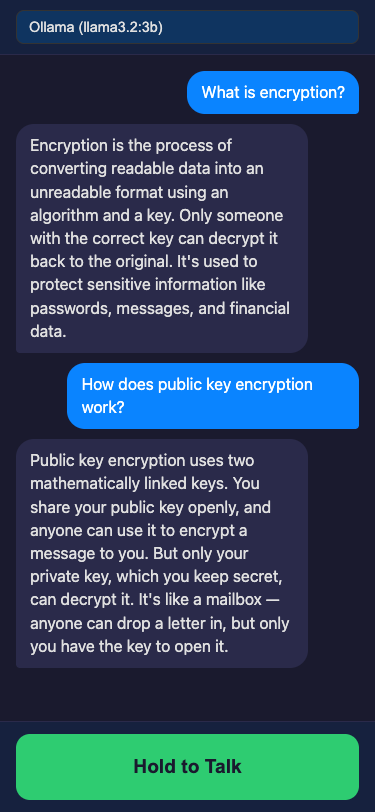
Mac-hosted Python voice assistant streaming WebRTC audio to iPhone with a hybrid FSM workflow engine for complex research.
https://github.com/davidbmar/iphone-and-desktop-companion-TTS-SST-talking-app · public · shipped
A local-first voice agent that runs on macOS and connects to an iPhone via Safari. It uses Whisper for speech-to-text, routes queries through a keyword-based router to either a fast LLM path or a Finite State Machine (FSM) engine for deep research/comparison, and streams Piper TTS audio back to the phone via WebRTC.
pip install -r requirements.txt
python main.py
flowchart TD
    subgraph Mac_Host["Mac Host"]
        Engine["Engine\nWorkflowRunner\nRouter\nOrchestrator"]
        Gateway["Gateway\naiohttp Server\nWebSocket\nRTCPeerConnection"]
        TTS["Piper TTS"]
        STT["Whisper STT"]
        LLM["LLM Provider\nOllama/Claude/OpenAI"]
    end
    subgraph iPhone["iPhone Safari"]
        UI["Voice Agent UI"]
        Mic["Microphone Input"]
        Speaker["Speaker Output"]
    end
    UI -->|Hold to Talk| Mic
    Mic -->|Audio Stream| Gateway
    Gateway -->|Signaling + Audio| Engine
    Engine -->|Query| LLM
    LLM -->|Response Text| Engine
    Engine -->|Text to Speak| TTS
    TTS -->|Audio Chunks| Gateway
    Gateway -->|WebRTC Audio Track| Speaker
    Engine -->|Transcribe| STT
    STT -->|Text| Engine
Python backend using aiohttp for signaling and WebRTC peer connections. The core logic includes a regex-based keyword router, an FSM executor for multi-step workflows (Research, Compare, Fact Check), and adapters for LLMs (Ollama, Claude, OpenAI). Audio is handled via WebRTC data channels/tracks, with Piper for TTS and Whisper for STT.
sequenceDiagram
    participant User as iPhone User
    participant Browser as Safari Browser
    participant Gateway as Mac Gateway
    participant Engine as Workflow Engine
    participant LLM as LLM Provider
    participant TTS as Piper TTS

    User->>Browser: Hold button & Speak
    Browser->>Gateway: Send Audio via WebRTC
    Gateway->>Engine: Forward Audio Data
    Engine->>Engine: Whisper STT
    Engine->>Engine: Keyword Router
    alt Complex Query
        Engine->>Engine: Execute FSM State
        Engine->>LLM: Request Reasoning/Search
        LLM-->>Engine: Return Structured Data
        Engine->>Engine: Next FSM State
    else Simple Query
        Engine->>LLM: Direct Chat Completion
        LLM-->>Engine: Return Response Text
    end
    Engine->>TTS: Generate Audio from Text
    TTS-->>Engine: Audio Chunks
    Engine->>Gateway: Stream Audio Chunks
    Gateway->>Browser: WebRTC Audio Track
    Browser->>User: Play Response
Ideal for developers building local AI assistants who need structured reasoning (FSMs) rather than just chat, and want low-latency audio streaming to mobile devices without native app store deployment.