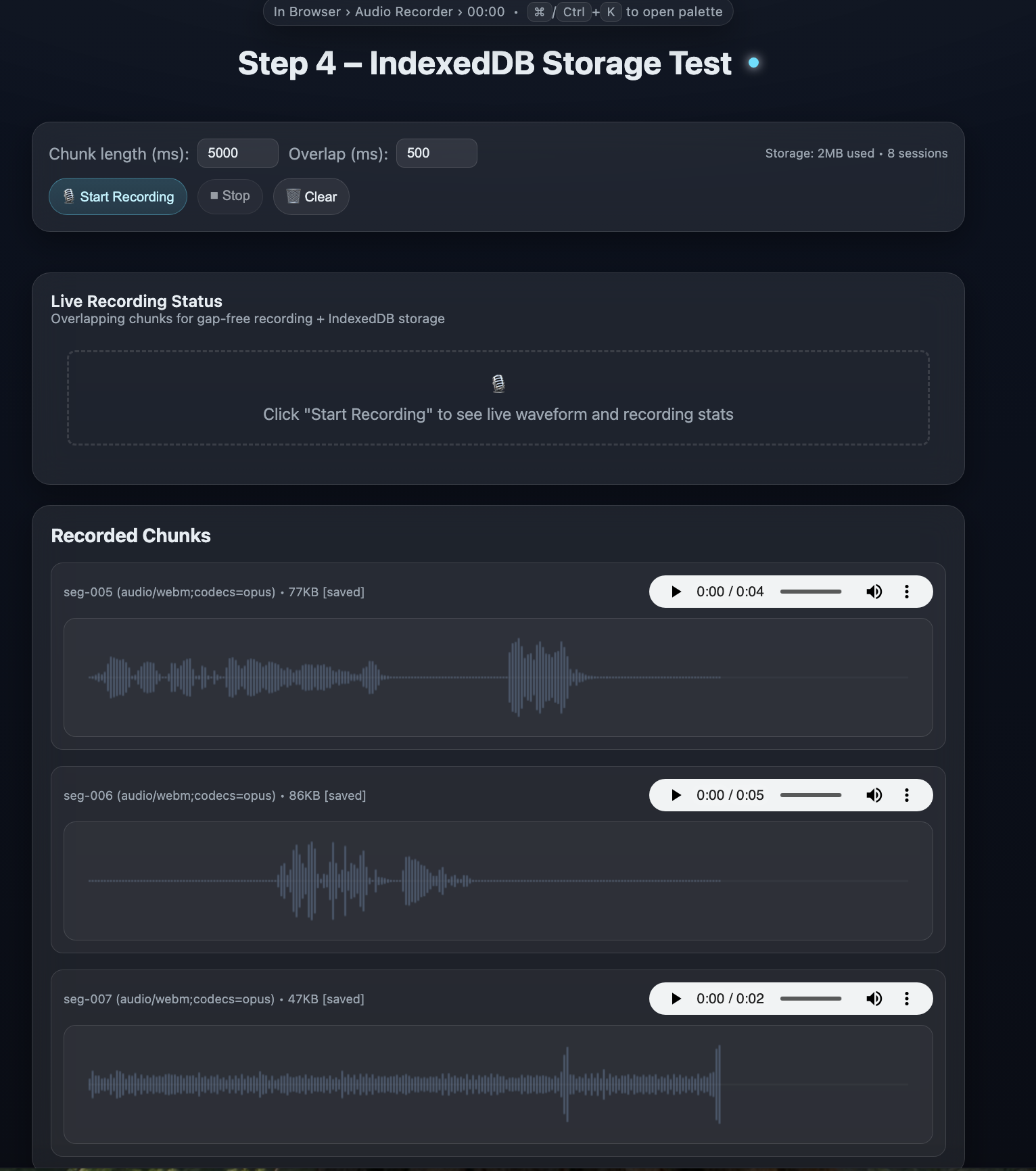
Reference implementation for recording independent, playable audio chunks in the browser to avoid WebM container header issues.
https://github.com/davidbmar/ui-audiorecorder-html-sample · public · shipped
A set of progressive HTML/JS examples demonstrating how to record microphone audio into continuous, independently playable segments. It solves the common Chrome/WebM issue where intermediate fragments from a single MediaRecorder session lack necessary container headers, rendering them unplayable until the stream stops. The solution involves creating a new MediaRecorder instance for each time slice while reusing the same getUserMedia stream.
git clone https://github.com/davidbmar/ui-audiorecorder-html-sample.git
cd ui-audiorecorder-html-sample
python3 -m http.server 8000
flowchart TD
    User[User] -->|Clicks Start| UI[HTML UI]
    UI -->|Request Permission| Browser[Browser API]
    Browser -->|MediaStream| RecorderMgr[Recorder Manager]
    RecorderMgr -->|Loop| ChunkRec[New MediaRecorder Instance]
    ChunkRec -->|Audio Data| Blob[Blob Object]
    Blob -->|Store| Storage[(IndexedDB / Local)]
    Blob -->|Optional Upload| S3[S3 Cloud Storage]
    Storage -->|Retrieve| Player[HTML Audio Element]
The project is built using vanilla JavaScript (ES5-safe) and HTML. It leverages the MediaRecorder API with a 'stop-and-restart' pattern per chunk rather than using timeslice data events. Advanced steps integrate IndexedDB for local persistence and include logic for generating pre-signed URLs for cloud storage uploads. Visualization is handled via Canvas API for waveform rendering.
sequenceDiagram
    participant U as User
    participant UI as HTML Interface
    participant MR as Recorder Manager
    participant Stream as MediaStream
    participant Rec as MediaRecorder (Chunk N)
    participant DB as IndexedDB

    U->>UI: Click Start Recording
    UI->>Stream: getUserMedia({audio: true})
    Stream-->>UI: Return MediaStream
    UI->>MR: startLoop
    loop For each chunk
        MR->>Rec: new MediaRecorder(stream)
        Rec->>Rec: start
        Note over Rec: Wait for duration (e.g., 5s)
        Rec->>Rec: stop
        Rec->>MR: ondataavailable (Blob)
        MR->>DB: saveChunk(blob, index)
        MR->>UI: renderChunk(blob)
        UI->>U: Display <audio> controls
    end
Use this code as a reference pattern when building web-based voice recorders that require immediate playback of segments or reliable upload of partial recordings. It is particularly useful for applications needing to bypass browser-specific demuxer errors associated with fragmented WebM/Ogg streams.
✓ all on main — nothing unmerged.