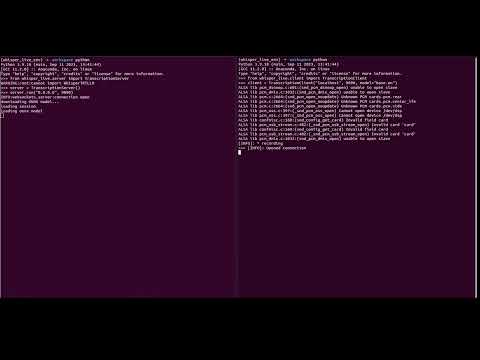
Real-time speech-to-text server using OpenAI Whisper, optimized for Salad Cloud GPU deployment.
https://github.com/davidbmar/whisperlive-salad · public · shipped
A Python-based WebSocket server that streams audio chunks from clients (browser extensions or scripts) to a backend running OpenAI's Whisper model. It supports multiple inference backends including Faster-Whisper, TensorRT, and OpenVINO, enabling low-latency transcription on GPU infrastructure like Salad Cloud.
bash scripts/setup.sh
pip install whisper-live
python3 run_server.py --port 9090 --backend faster_whisper
flowchart TD
    Client[Browser Extension/Client] -->|WebSocket Audio Chunks| Server[WhisperLive Server]
    Server -->|Load Balance| Backend[Inference Backend]
    Backend -->|Faster-Whisper| FW[Faster-Whisper Engine]
    Backend -->|TensorRT| TRT[TensorRT Engine]
    Backend -->|OpenVINO| OV[OpenVINO Engine]
    FW -->|Text Segments| Server
    TRT -->|Text Segments| Server
    OV -->|Text Segments| Server
    Server -->|Transcribed Text| Client
Built with Python using the `websockets` library for communication. It integrates `faster-whisper` for efficient CPU/GPU inference, `tensorrt` for NVIDIA GPU acceleration, and `openvino` for Intel hardware. The client-side logic is implemented as Chrome/Firefox extensions using AudioWorklets to capture and preprocess microphone/tab audio before sending it via WebSocket.
sequenceDiagram
    participant C as Client (Extension)
    participant S as WhisperLive Server
    participant B as Inference Backend
    C->>S: Connect WebSocket
    S->>C: Connection Accepted
    loop Audio Stream
        C->>S: Send Audio Chunk (16kHz Mono)
        S->>B: Forward Audio Data
        B->>B: Run Whisper Inference
        B-->>S: Return Transcribed Segment
        S-->>C: Send JSON Result
    end
    C->>S: Close Connection
Deploy the server on a Salad Cloud container with GPU support. Connect browser extensions or custom clients to the server's WebSocket endpoint to transcribe live meetings, lectures, or voice notes in real-time.
✓ all on main — nothing unmerged.